
Automating the Sojern Email Process
ROLE
User Research
Journey Mapping
Prototyping
Iteration
User Testing
DURATION
Ongoing
Digital Design
Engineering
TEAM
April 2026 -Present
DATE
ChatGPT
VSCode
TOOLS
Overview
The Guest Experience Platform (GEP) lets hotels run guest communications across channels, including email, SMS, and WhatsApp, with email campaigns and customer onboarding being the piece our team is assigned to. Producing each campaign meant working through a repetitive, form-heavy process for hundreds of properties, leaving plenty of room for human error. As campaign volume grew beyond what a small team could realistically manage by hand, I designed and built two tools that automated the process end-to-end, cutting email completion time significantly.
86.7%
More emails designed and scheduled on a week to week basis
41%
Reduction in email completion time
The Problem
A slow, manual process spanning design, segmentation, and scheduling couldn't keep pace with a workload that had grown nearly 6x in a year.
Problem Breakdown
Within the campaign builder, our team is responsible for designing each email, segmenting its audience, and scheduling the send. Segmentation and scheduling alone required filling out three separate forms per email - two for scheduling, with scheduling taking the longest of the three tasks. Across a sample of 84 designs, the process averaged 7:42 for design, 4:19 for segmentation, and 4:12 seconds for scheduling- over 16 minutes per email, done manually, by a team of four designers.
The case for automation became clear after looking at the numbers. Between June and December 2025, the team handled 1,387 email cases - a 578.13% year-over-year increase from the same period in 2024. In the five months since, case volume had already surpassed 1,500. The growth was being driven by more customers being onboarded. Human error occasionally pushed individual cases well past their expected time, adding to the strain.
Issues included:
✶ Segments that hadn't finished loading yet could go unnoticed, forcing a restart if caught too late in the form.
✶ Optional resend filters were tucked under a collapsible section, easy to forget entirely.
✶ A stray tickbox left checked, or one left unchecked, could go unnoticed even after sending.
✶ Dates were entered manually, with no safeguard against a mistyped one.
✶ Some button wording caused hesitation - unclear labelling led to hesitation.
✶ Selecting the wrong template was an easy mistake to make and not always caught right away.
✶ Spelling errors crept in wherever text was typed manually.
✶ The same steps were repeated for every single email, with no shortcuts for common cases.
Email Template Copy Bot
The Solutions
Copying templates across properties previously meant repeating the same manual steps for each destination. This tool uses a shopping cart style flow: select the properties to copy to, choose the template from a loaded list (unique to individual users), and the bot copies everything into the right folders using the team's naming convention, creating Evergreen folders if they don’t already exist in the directory. After processing all properties in the cart, it reports which properties already had the template present in their folder, along with a count of these already existing templates and the number of items created by the bot.
Before - Selecting each item manually and copying one by one
After - Bot copies all the templates to the right place.
Email Automator
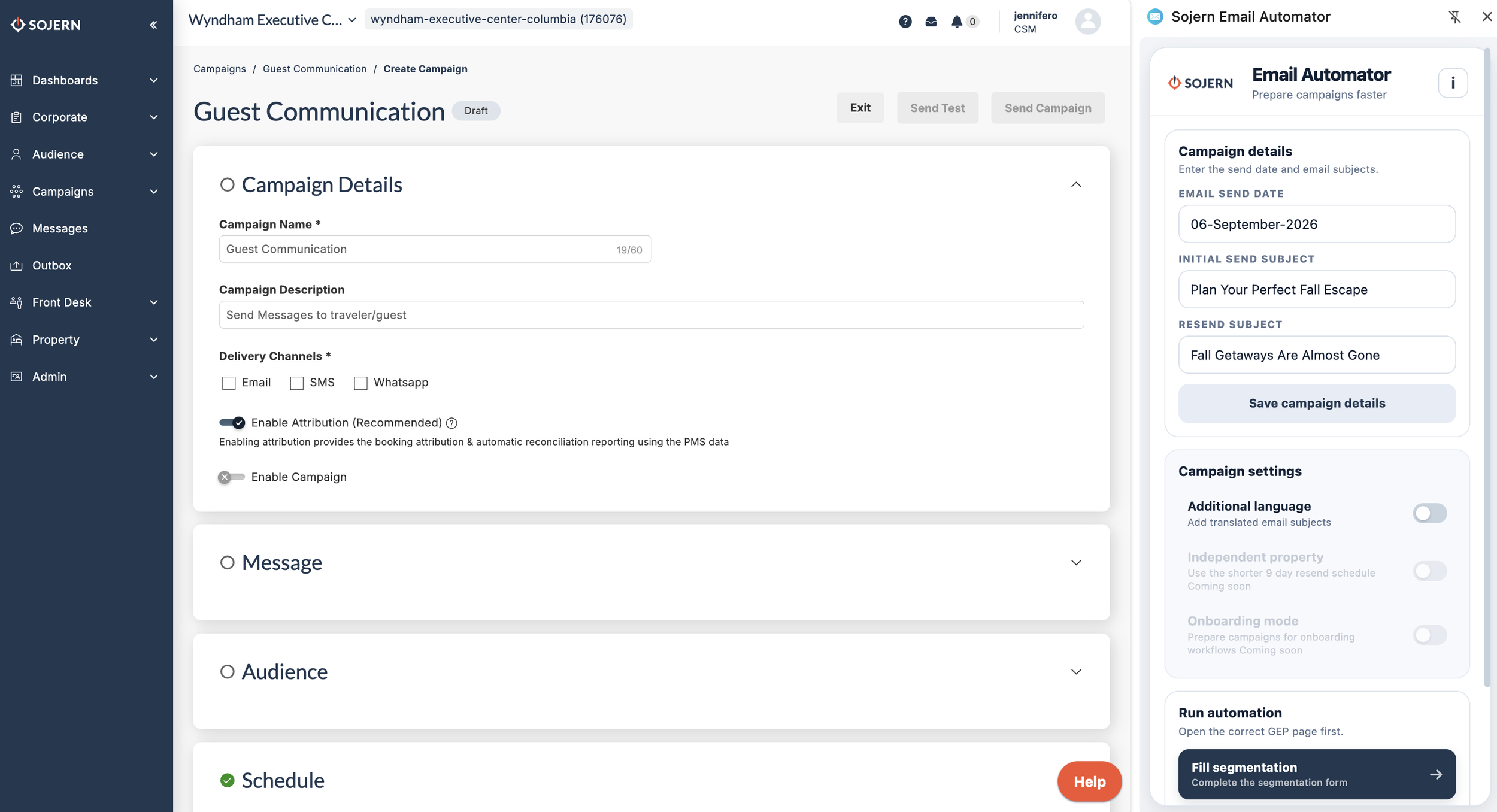
Completing the scheduling process for an email includes filling out separate forms for the segmentation, initial send and the resend, including date calculations relative to the send date (e.g. building a segment of users who stayed 45 days before the initial send date). This extension handles both segmentation and scheduling: enter the send date and subject lines once, then open each form page and click its corresponding button to fill it in automatically, including all date calculations. Initial sends and resends use separate buttons to account for their slightly different form requirements.
The extension has also grown alongside GEP itself - it's being extended recursively as the platform updates and as the email offering expands, recently adding support for filling forms in up to three languages as per new requirements.
Segmentation
Before - Manually completing segmentation for 4 properties. (Footage sped up 3x)
After - Automator completes segmentation form for 4 properties and exits for quick running.
Scheduling
Before - Manually completing scheduling for 2 properties. (Footage sped up 3.2x)
After - Automator completes segmentation form for 2 properties and exits for quick running.
Takeaways
Both tools have been adopted across the full design team. With their help, the team has processed over 2,000 emails this year alone - one designer completed 25 in a single sitting. What previously took roughly 16 minutes per email now takes 5 to 8, cutting the process by roughly half to two-thirds depending on the case. Human error has dropped sharply too; resend filters, previously easy to miss, are no longer skipped, since the process now comes down to two manual steps - selecting guests and sending. The impact extended beyond the team as well - I was invited to speak at the company's AI Knowledge Share Panel , where I broke down the steps behind building the extensions and shared advice for others looking to automate their own workflows.