
Fixing Little Problems to Make a Big Difference in TheBrief
DURATION
Ongoing
User Research
Journey Mapping
Prototyping
Iteration
User Testing
ROLE
Digital Design
Engineering
TEAM
2026
DATE
ChatGPT
VSCode
TOOLS
Overview
TheBrief is an AI-powered ad creation platform teams use to design, resize, and launch design campaigns at scale. While the core editor covers the big workflows well, our day-to-day use surfaced a handful of small, persistent pain points - nothing that broke the experience, but friction that quietly added up the longer you worked in it.
I built a browser extension that embeds several lightweight tools directly into TheBrief's editor and surrounding pages, addressing these issues so our team no longer has to work around them.
The Solutions
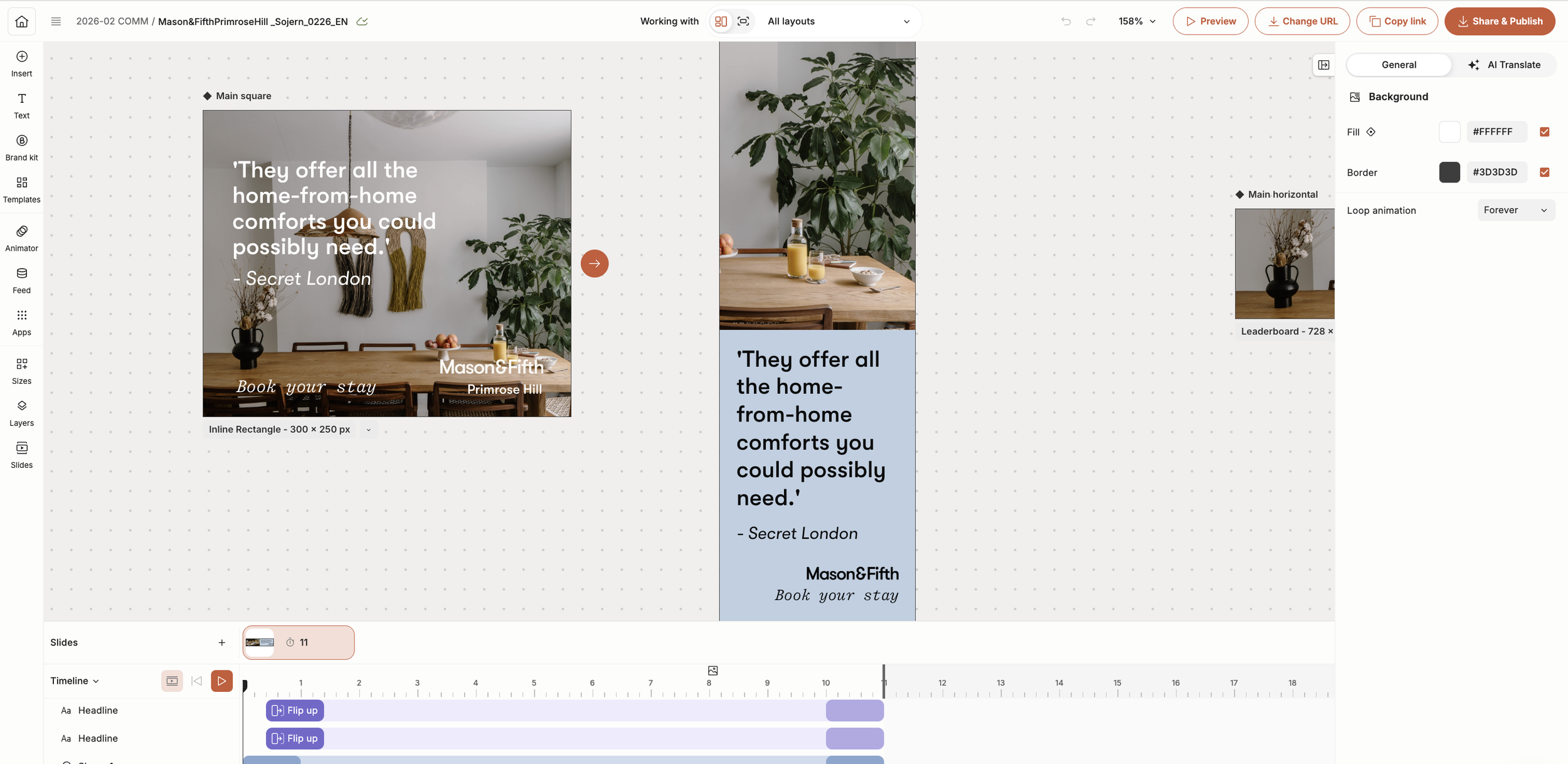
Timeline spacing - The ruler no longer overlaps the icons beneath it. Widening that section of the timeline gave both enough room to coexist, so clicking the icons no longer requires the same careful aim.
One-click link copy - Copying a design's share link used to mean opening the share menu, then clicking copy from inside it. This reduces it to a single click, skipping the extra step entirely.
One-click URL editing - Changing a campaign's URL used to mean opening the share menu and manually highlighting the existing text to edit it. This button collapses that into one click - it opens the field and highlights the current URL automatically, ready to be replaced, without deleting it first.
Direct image swap - Changing an image used to mean clicking "Replace" on the right panel, selecting "Brand Kit" from the dropdown it opened, then finding the upload button that appeared on the left. Now, clicking the image directly in the sidebar opens that left panel immediately - a much larger target that's easier to hit than the multi-step path it replaced.
Bulk rename with dates - Dating designs was previously a manual, one-by-one process. Selecting the relevant designs with their checkboxes and clicking this button renames all of them at once, applying the team's naming convention and correct date automatically.
Bulk rename via CSV - Renaming large batches of designs previously meant handling each one individually. This button opens a file prompt for a CSV, then renames every selected design using its matching row, formatted to the team's naming convention automatically.
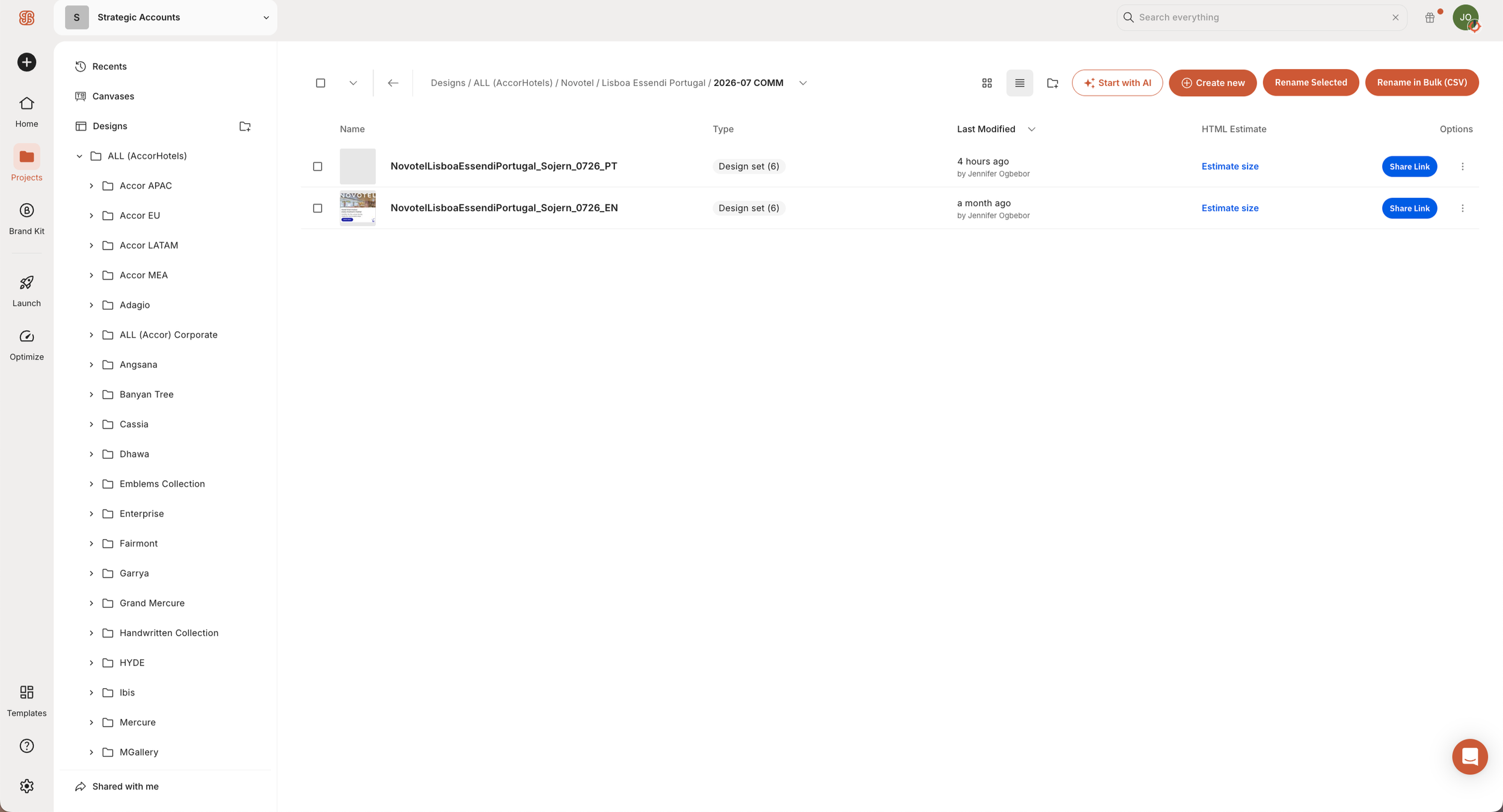
One-click preview link - Copying a design's direct preview link previously took three separate actions: ticking the item, locating the copy option, then selecting copy. This blue button condenses it into one click, copying the link immediately, ready to paste.
Open location - Finding a design's folder previously meant navigating there manually. This opens the design's location directly and highlights it in place, skipping the manual search.
The Problem
Editing in TheBrief involved a series of small, recurring delays. A timeline ruler overlapped the icons used most often, requiring careful, deliberate clicks to avoid it. Core actions, such as changing a campaign URL, copying a design link, or swapping an image, were buried several menus deep. Reviewing design previews meant opening new tabs and manually copying and pasting file names, a step that was easy to get wrong due to the text element size. Beyond the editor itself, the workflow required further manual upkeep, including renaming bulk designs individually and updating dates by hand whenever a project extended into a new month.
The scale of the workload made these delays harder to absorb. The team regularly manages hundreds of designs, each requiring four to six size variations, on top of the team's separate monthly email offering. With that volume, there was little room for delays to accumulate. Left unaddressed, they compounded into real crunches at the end of the month, or whenever a large, high-priority batch of designs landed with little notice.
3.2
seconds faster to open a design
1.9
seconds faster to change image designs within editor
9x
faster to rename files in bulk quantities
DISCLAIMER: This project is not affiliated with, endorsed by, or sponsored by TheBrief. It was built independently as a personal productivity tool to support my team's day-to-day workflow within the platform, and is not distributed, sold, or made available outside that use. All trademarks, product names, and branding referenced belong to their respective owners and are used here only to accurately describe the context of the work.
The Results
The extension was adopted across the full team. Opening a design is now 3.2 seconds faster on average, and changing an image is 1.9 seconds faster - both meaningful given how often each action repeats across hundreds of designs a month. The clearest gain is in bulk renaming: manually renaming 7 designs took 2 minutes 20 seconds, while the automated tool renamed 38 in 1 minute 27 seconds - roughly 9x faster, cutting what would've been over 12 minutes of manual work down to under 90 seconds.
Open in editor - Opening a design for editing previously required navigating back to find it manually. This opens the design directly in the editor from the preview page, skipping that step.
Create as new - Duplicating a design previously meant navigating to it, then either duplicating it directly or right-clicking to select "Create as new." This creates a copy directly from the preview page, in one click, placing it in the same location as the original.